
Showing Up for Our Communities
Through Frontwave Give360, we support local organizations and causes that strengthen the communities we call home.


Most people are no longer managing just one checking account.
There’s the everyday spending account. A savings account for emergencies. Another for travel. Maybe a loan, a credit card, joint accounts, business accounts, or money set aside for bills, kids, or future plans.
Over time, digital banking can start feeling crowded. You end up scrolling, clicking and hunting for the information you need.
That’s why Frontwave introduced refreshed account organization tools and a cleaner Dashboard experience in desktop digital banking to make accounts easier to find, sort, organize and manage.
The updated Dashboard gives you a clearer view of accounts, balances and activity the moment you sign in.
One of the biggest upgrades is the new account search and filtering experience built directly into the Dashboard. Finding the right account used to take extra clicking and scrolling. You can now search accounts directly from the Dashboard using the new search bar in the Accounts section.
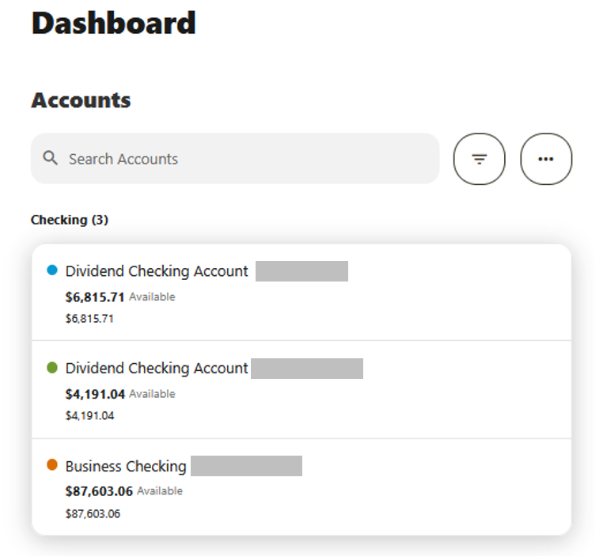
The new filter tools also make it easier to narrow views by:
Instead of scrolling through every account, you can quickly search, filter and jump directly to the accounts you use most. Click into the search bar to browse accounts or select the filter icon to customize the Dashboard view.
The Accounts widget has also been updated with a cleaner, more focused layout that keeps your selected account front and center. To view, switch or search through accounts, simply click into the search bar at the top to browse accounts, apply filters or jump directly to the one you need faster.
Whether it’s separating household expenses, tracking savings goals, managing business accounts or organizing shared finances, the refreshed Dashboard helps cut through the clutter.
Most people don’t just think about their money in terms of “checking” and “savings.” They think about purpose.
The new Account Tagging feature gives you more flexibility to organize accounts however makes the most sense for you. Create custom tags like:
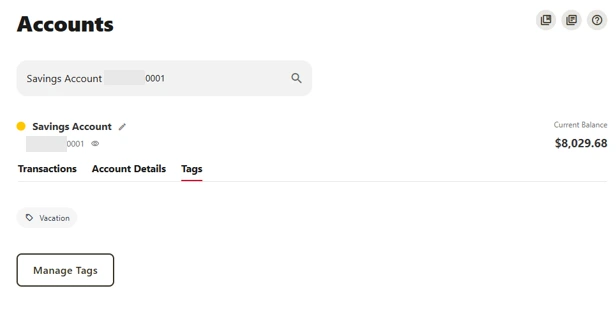
To create or manage tags, select an account, open the Tags tab and follow the prompts to add, view or update your tags.
Tags can then be used to quickly filter accounts directly from the Dashboard.
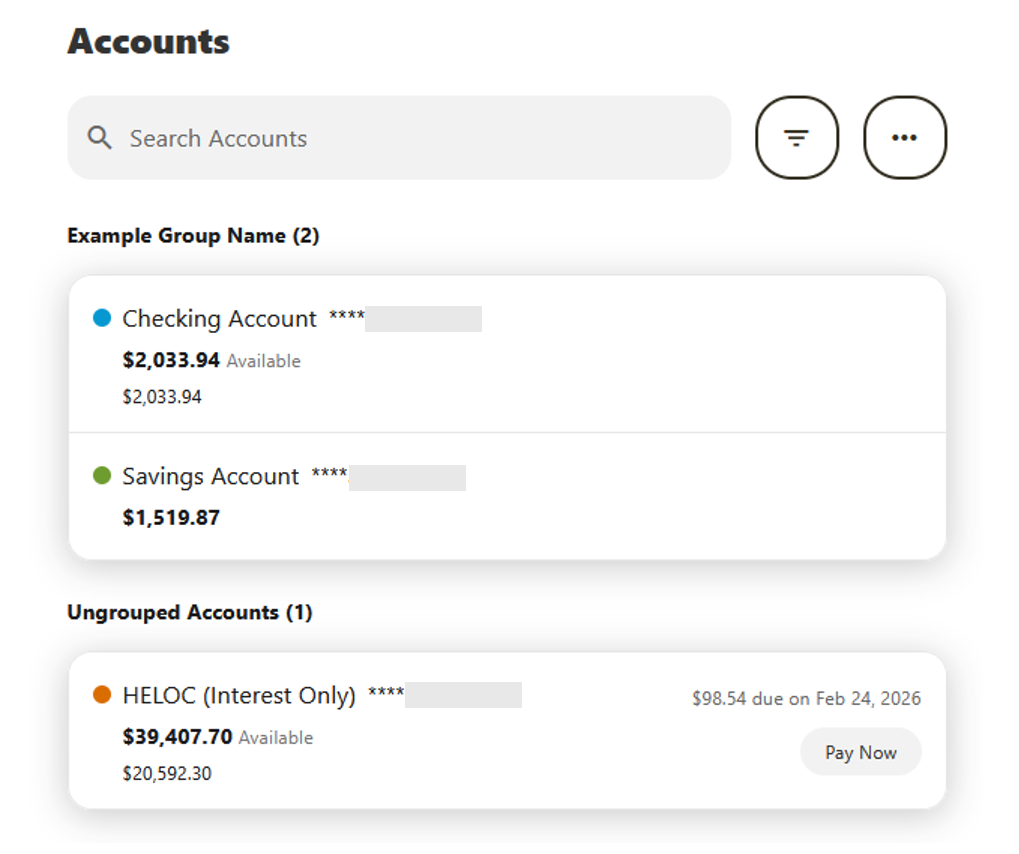
If you manage several accounts, you can now organize them into custom groups that match the way you think about your finances.
Create groups with your own labels, move checking, savings and loan accounts into each group, then reorder both your groups and the accounts within them. Whether you want separate sections for everyday banking, savings goals, business finances or family accounts, your Dashboard can be organized the way you want.
Once your groups are set up, you can switch between the standard View by Account Type and your personalized View by Custom Group with a single click, giving you two different ways to view your accounts depending on what you need.
These new search, filtering, and tagging tools are currently available in desktop banking only and are not yet part of the mobile app experience.
The desktop experience gives Members more room to organize accounts, manage multiple balances, and customize how accounts appear.
These updates give Members more control over how accounts are organized, filtered, and displayed. Simple changes that make digital banking easier to manage when everything starts piling up.